
 Payment Gateway
 QR Code
 Payment Links
 Payment Invoice
 Subscriptions
 International Merchants
 AI Router
 Food Wallet
 Paytm Cash
 Paytm Gold
 Smart Retail
 POS Hardware
If you are a new merchant, you will first need to onboard yourself on Paytm PG through our standard PG onboarding process, post which you can manually onboard yourself on Paytm Super Router. The following steps are applicable only to new merchants:-
- Create your account on the Merchant Dashboard. Once you login you can see the following screen:
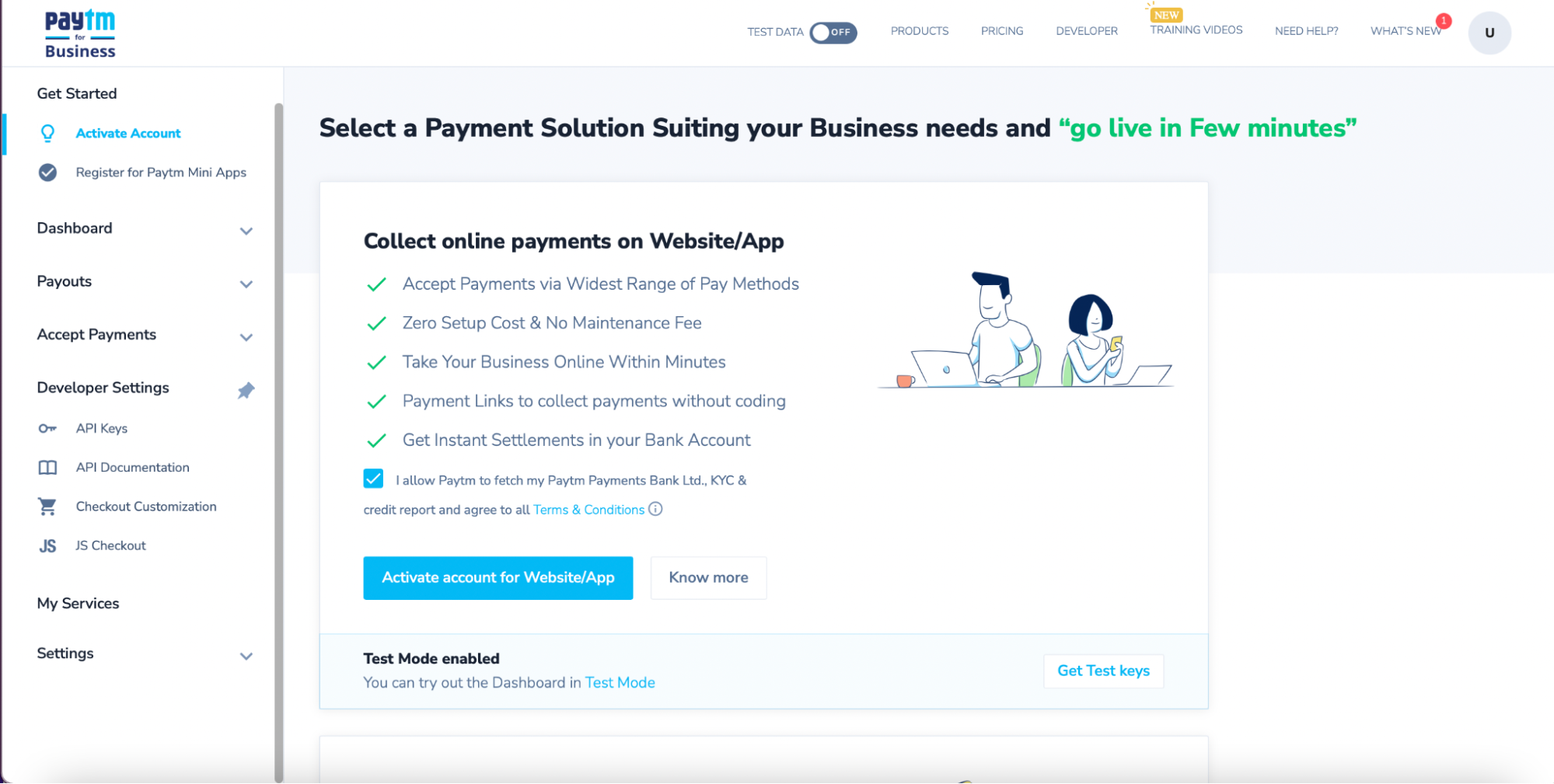
 Note: You can try out the Test Mode option.
 - Save the MID and Merchant Key generated after account creation.
Once you login you can see the API keys in the sidebar under Developers. Click on the API keys link to acquire Test MID.
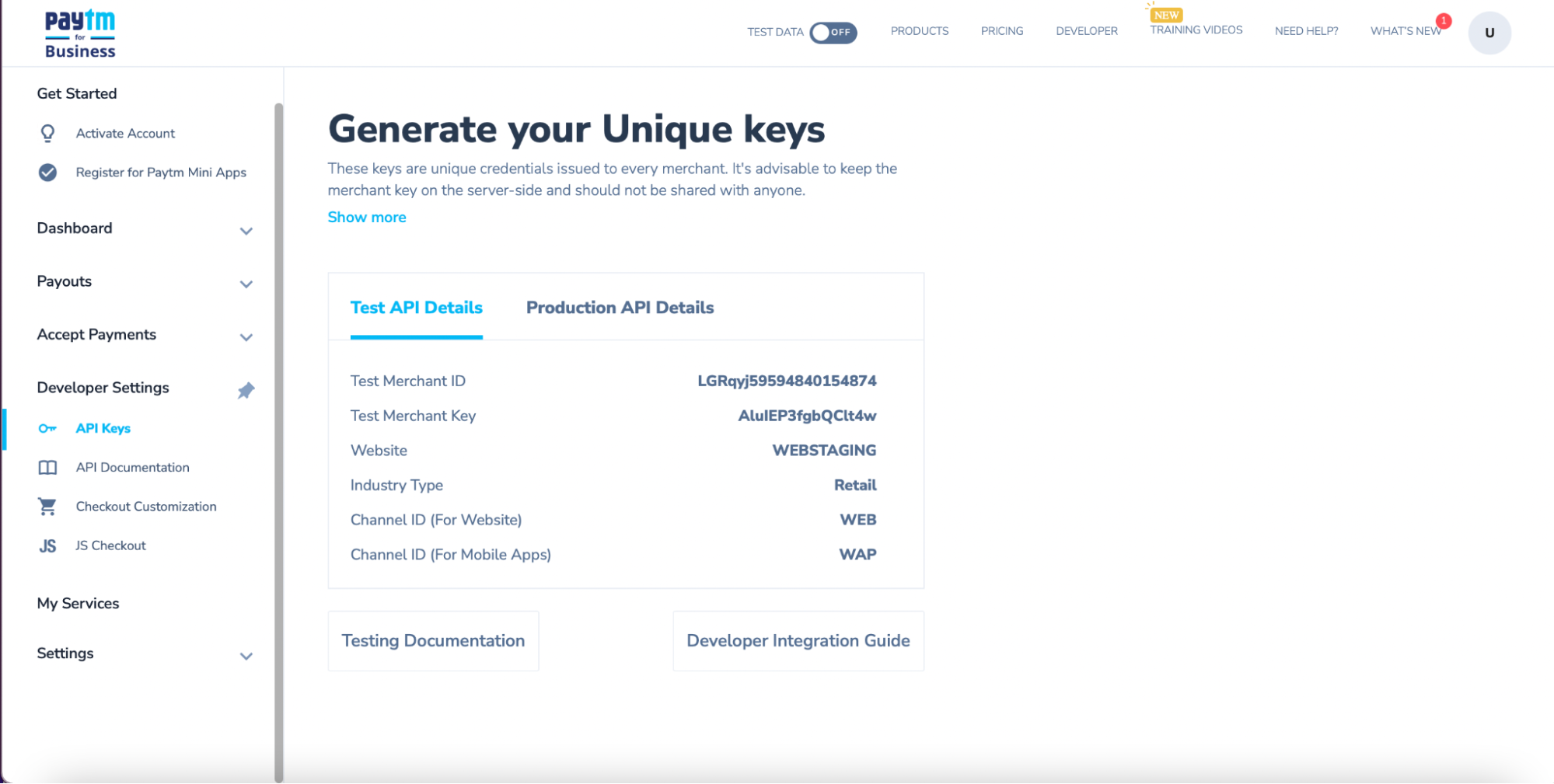
When you are ready to go live, activate your account in the dashboard to get production account credentials.
- Click on Production API Details to view the Production MID and Merchant Key.
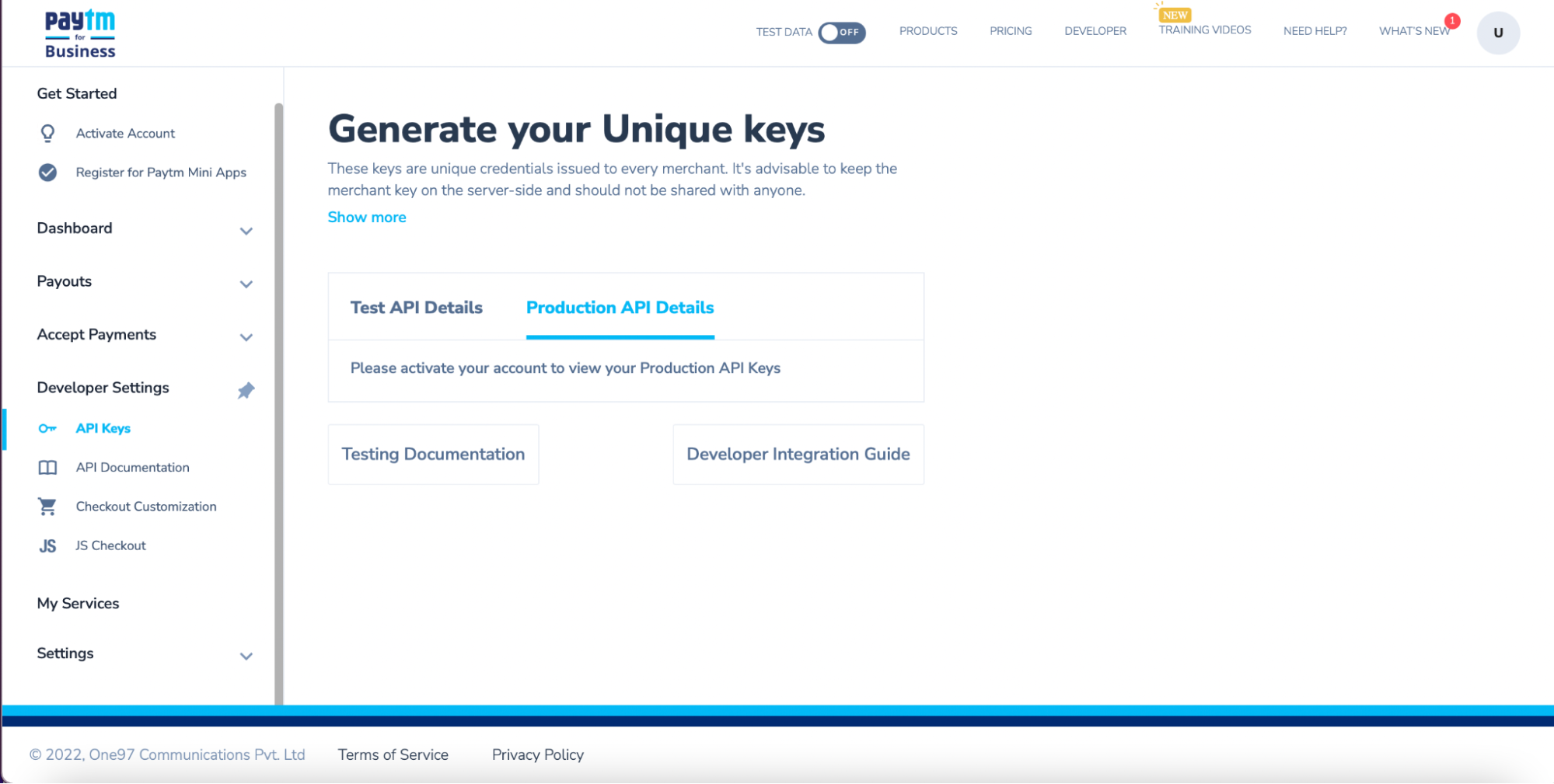 Note: Production MID is generated by Paytm after successful verification and activation of your account. It can be fetched from the same dashboard.
